 Live poker tracker · iPhone, iPad & desktop
A poker session that stays alive.
Other hand trackers make you rebuild the table for every hand, then throw it away the moment you save. SickSpot keeps the whole table (seats, stacks, players, the button) alive all session. Set it up once, and every hand after that takes seconds.
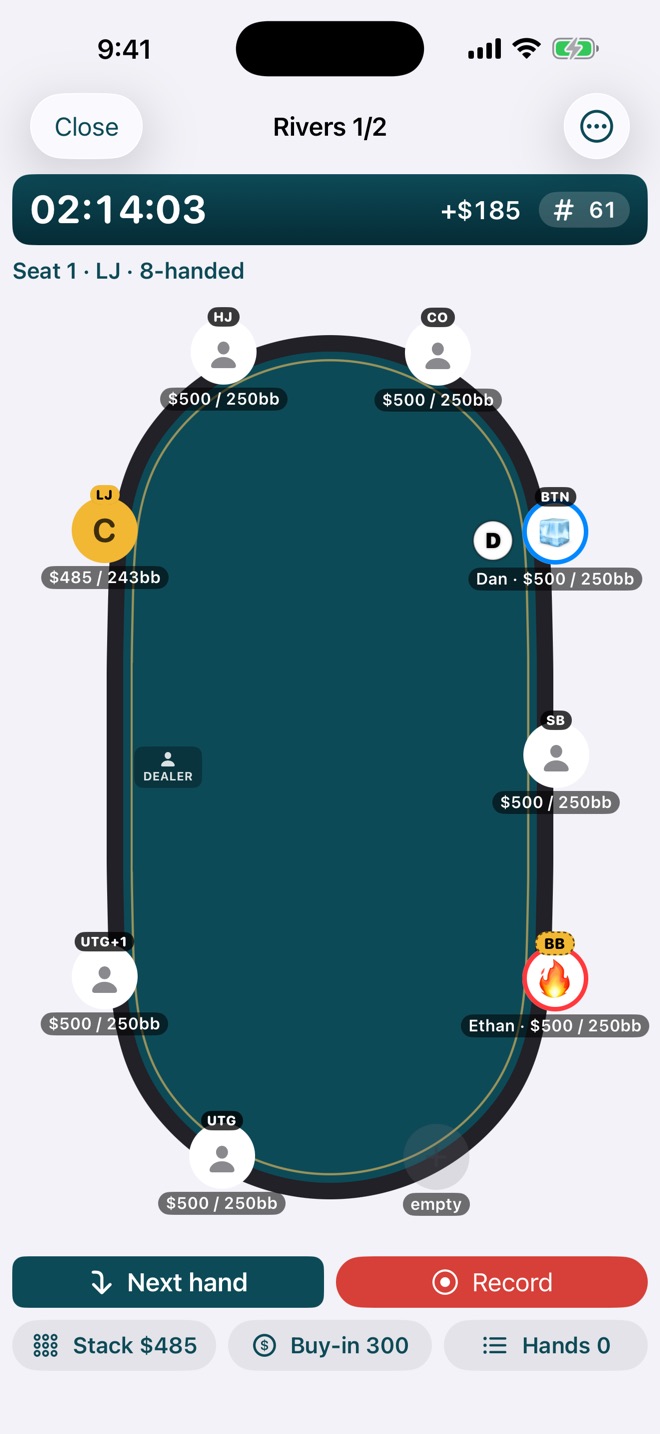
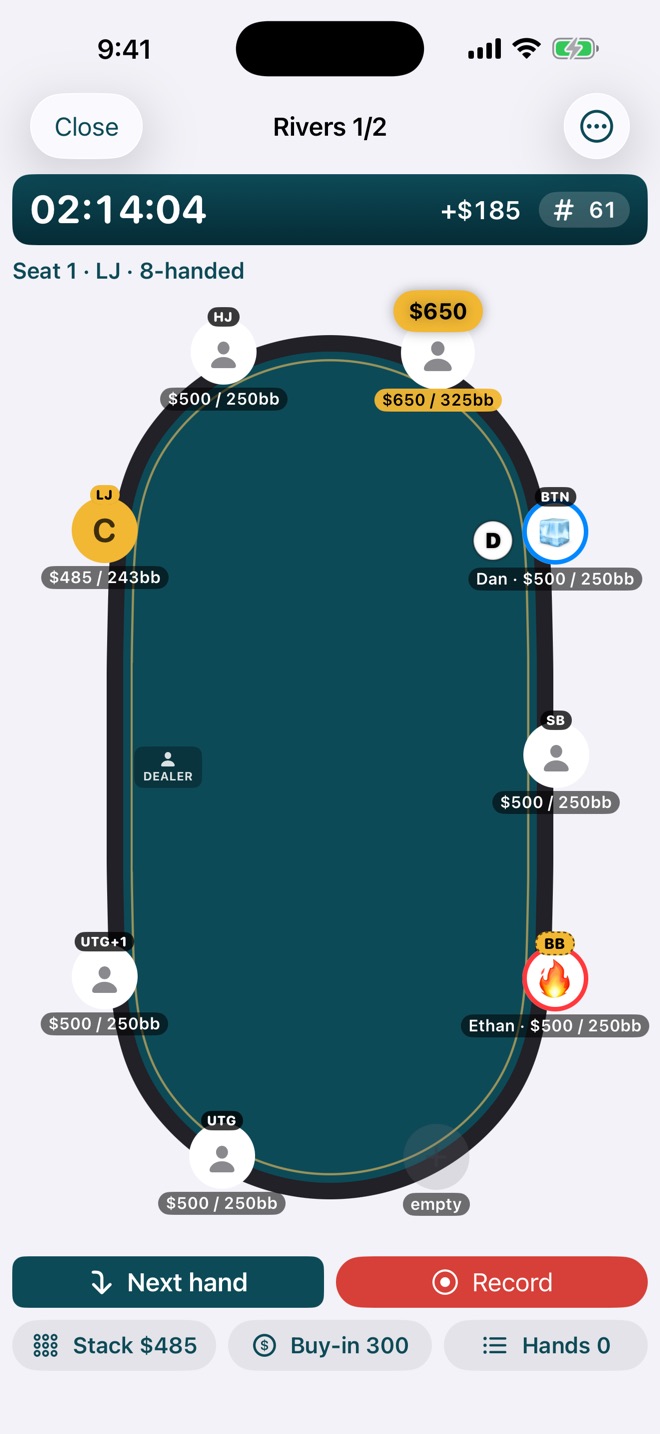
Stop rebuilding the table every hand.
You spend all that time setting up a hand: who's sitting where, how deep everyone is, where the button is. In most apps it's gone the second you hit save, and the next hand starts from zero. In SickSpot it carries straight on.
A living session
Set up the table once. Play all night.
Start a session and seat the table. From then on SickSpot keeps it current: stacks move with every hand you record, the button moves with Next hand, and positions are worked out for you every time. When a big hand comes up, the scenario's already there. Just record the action.
- Every stack in dollars and big blinds, at a glance
- Session clock, hand count, buy-ins, and your running result
- Light, dark, and SickSpot Night themes for a dim card room
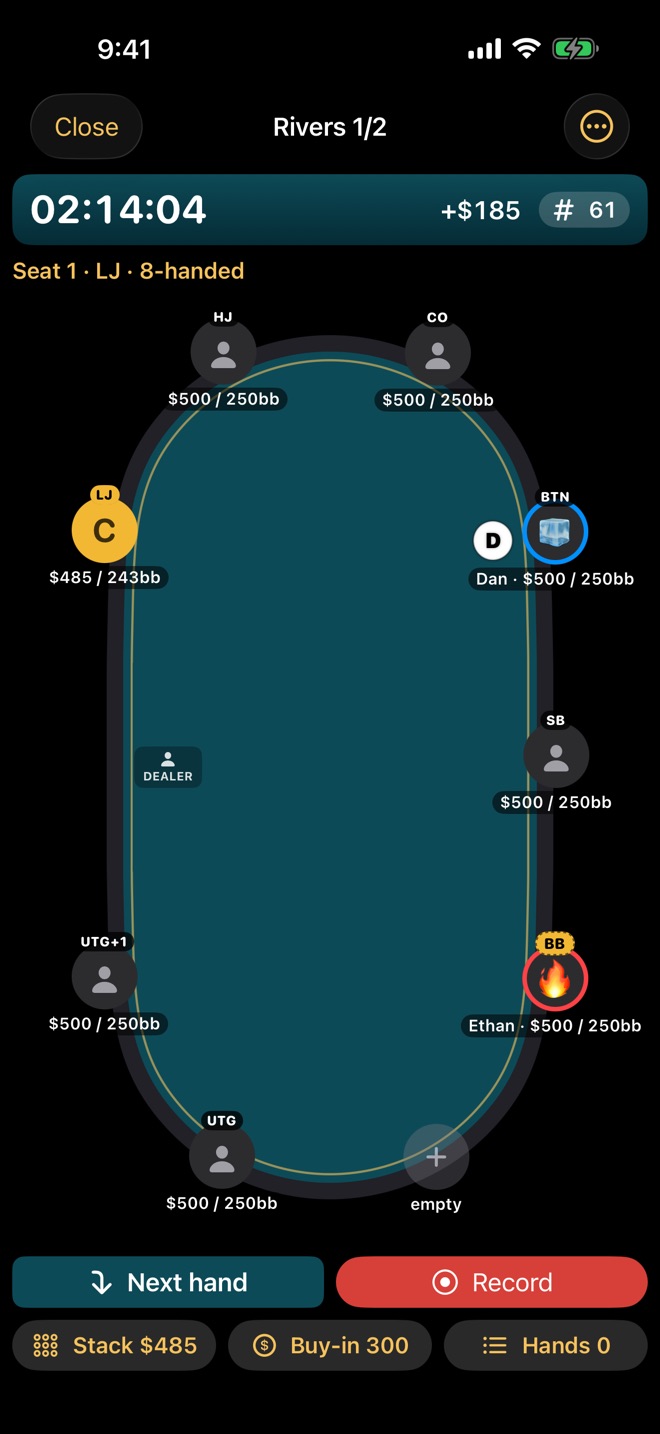
Table dynamics
The table changes. Keep up in a second.
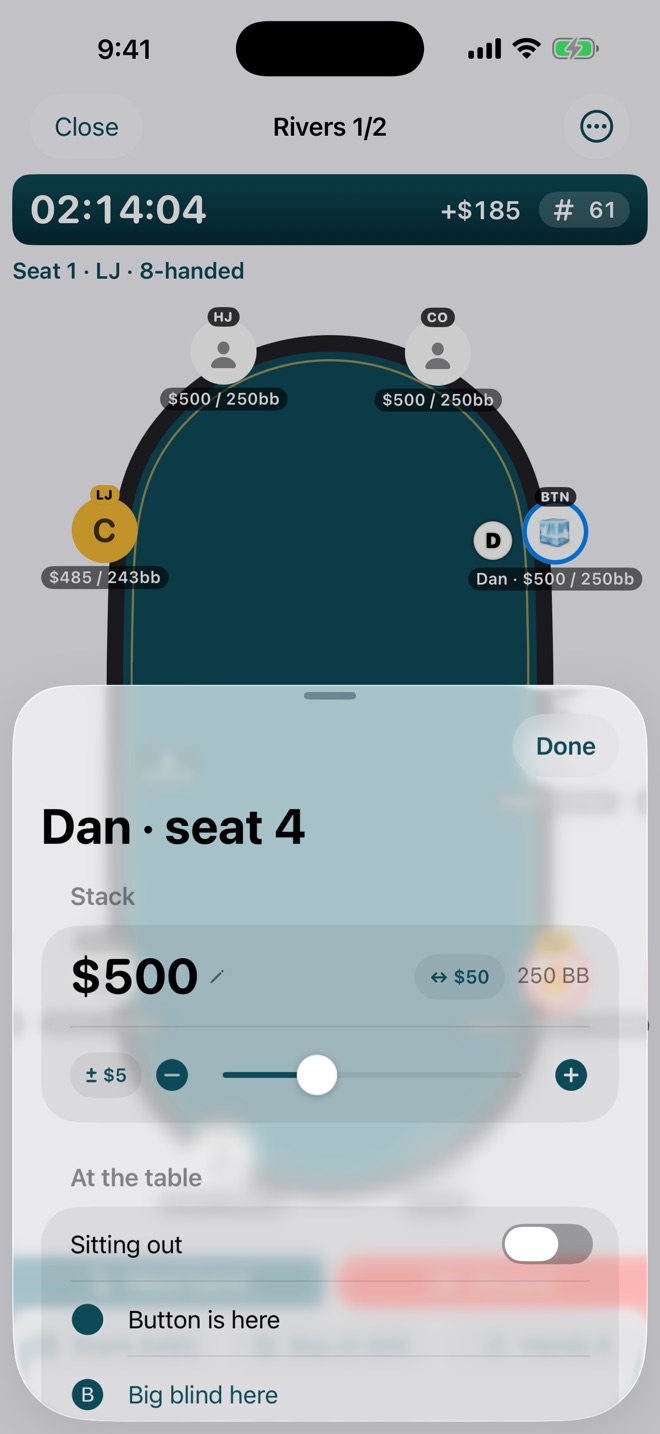
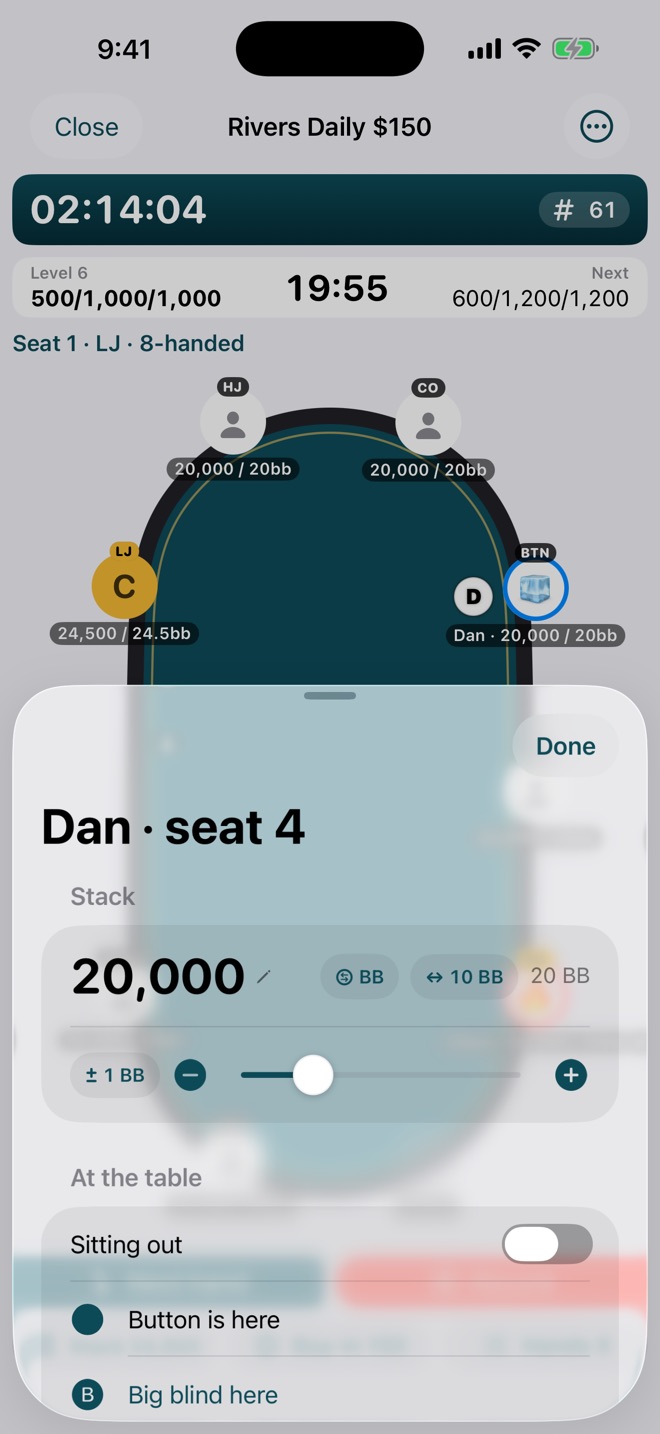
Someone doubles up, a reg sits down, the big stack racks up. Drag a stack right on the felt and it snaps to your skip, or tap the seat for the full editor with a slider, − and + steps, and an exact amount if you want one.
- Drag stacks on the table; they snap to clean amounts
- Move seats, move the button, post a big blind, sit a player out
- Tag players with notes and an emoji so you spot the regs, fish, and nits
- Changes made mid-hand replay into the hand you're recording
Bet sizing
Preset bets, so you're not typing at the table.
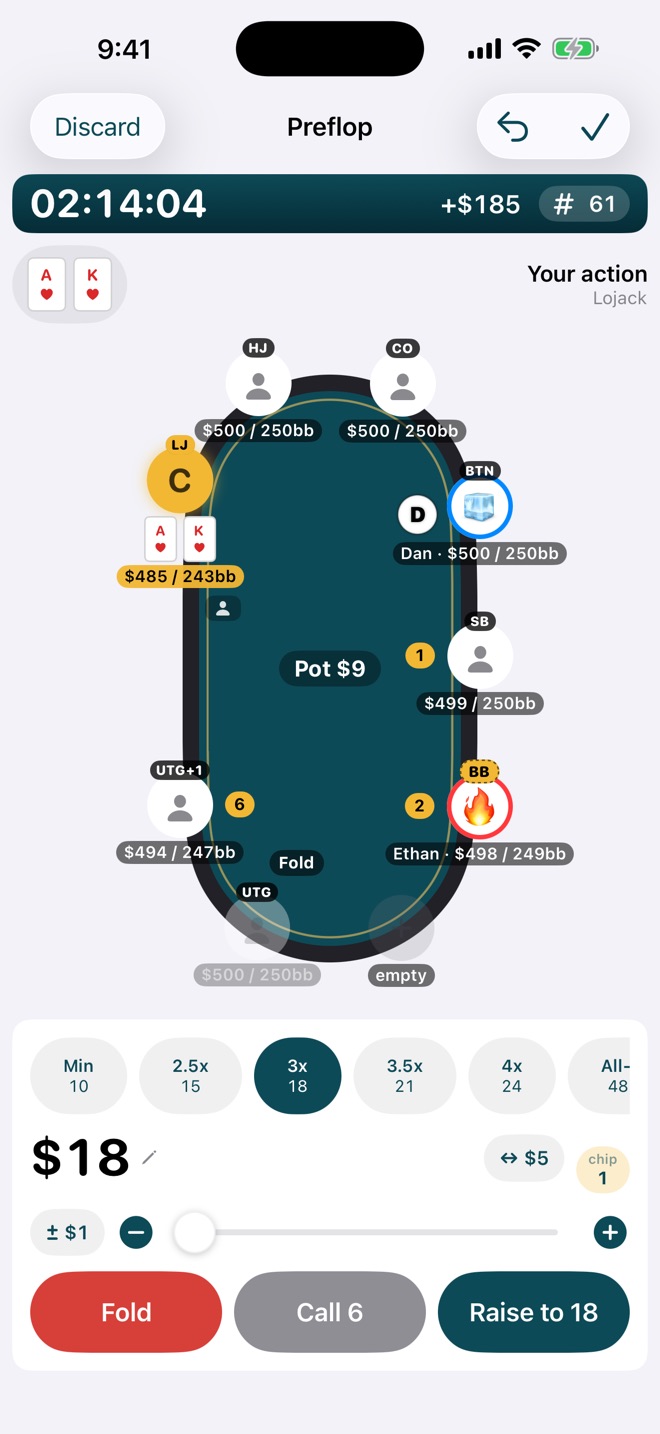
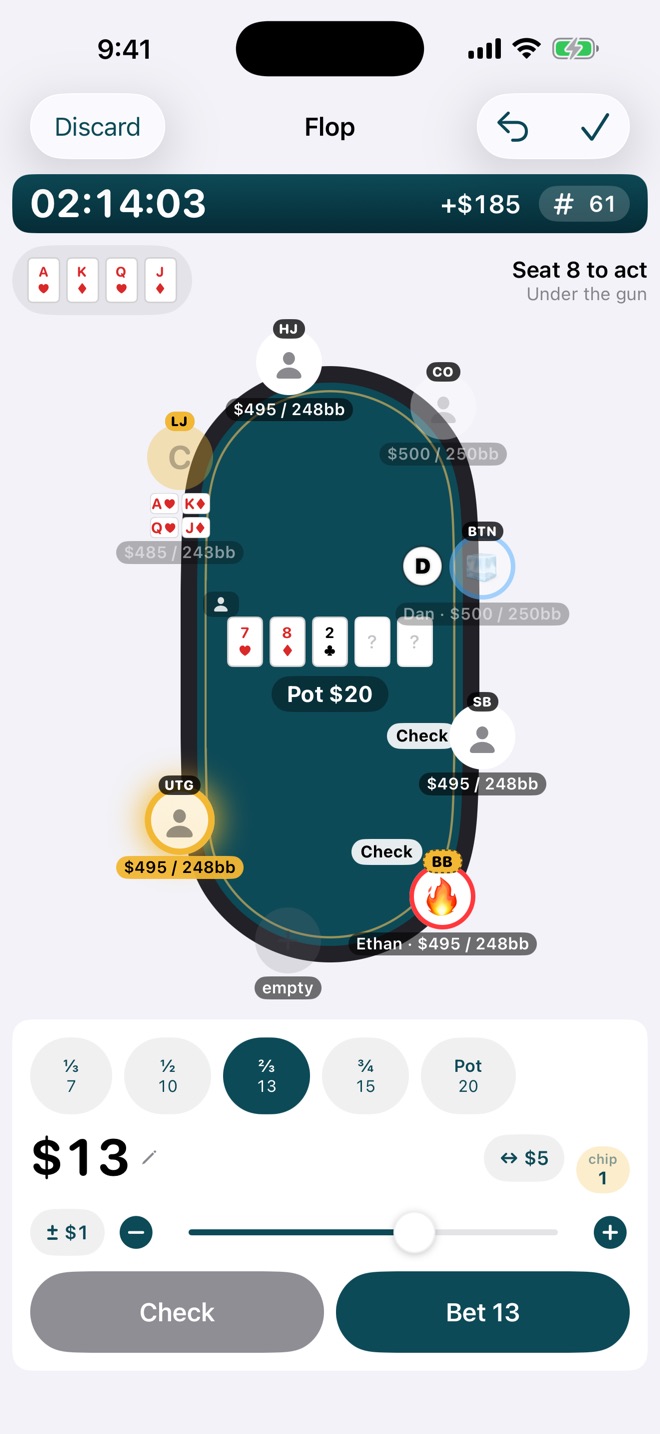
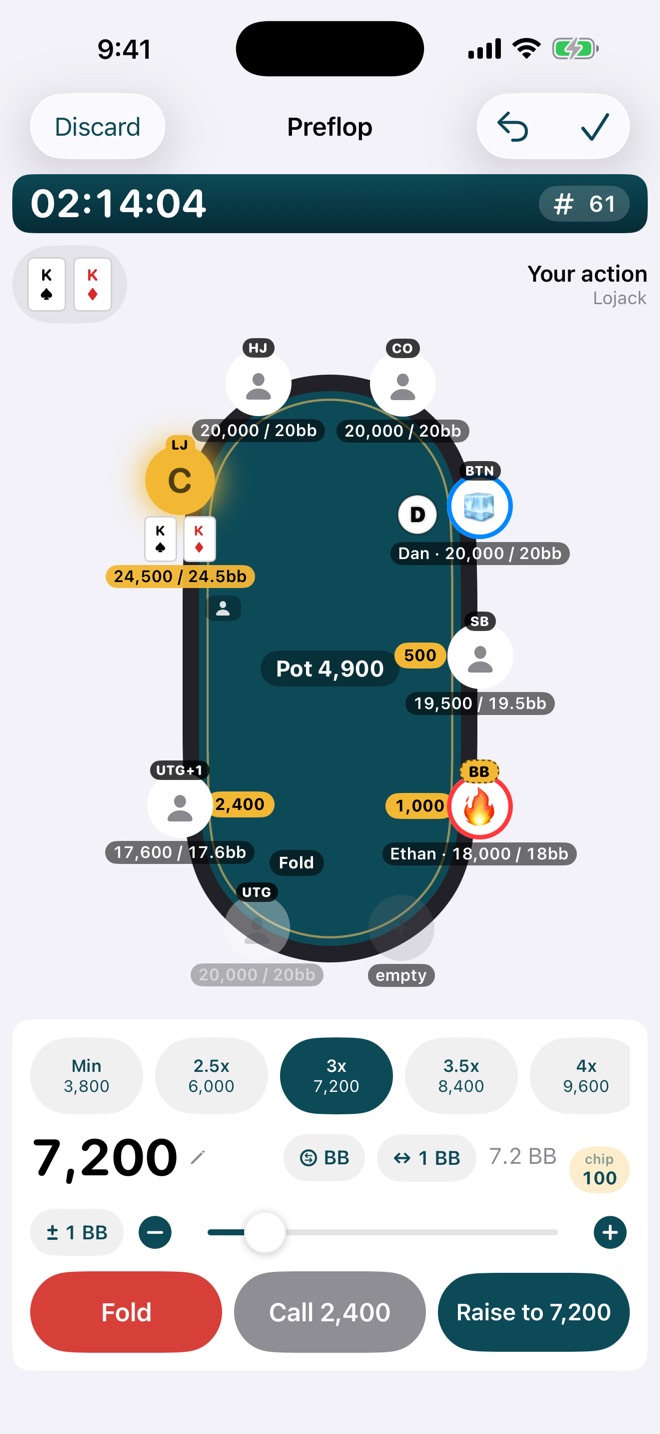
Preflop, open sizes are one tap: min, 2.5x, 3x, 3.5x, 4x, all-in. After the flop it's pot fractions: ⅓, ½, ⅔, ¾, pot. Pot-limit Omaha knows the pot limit. Need something else? Slide, step, or type it.
- One tap per decision, from first to act through showdown
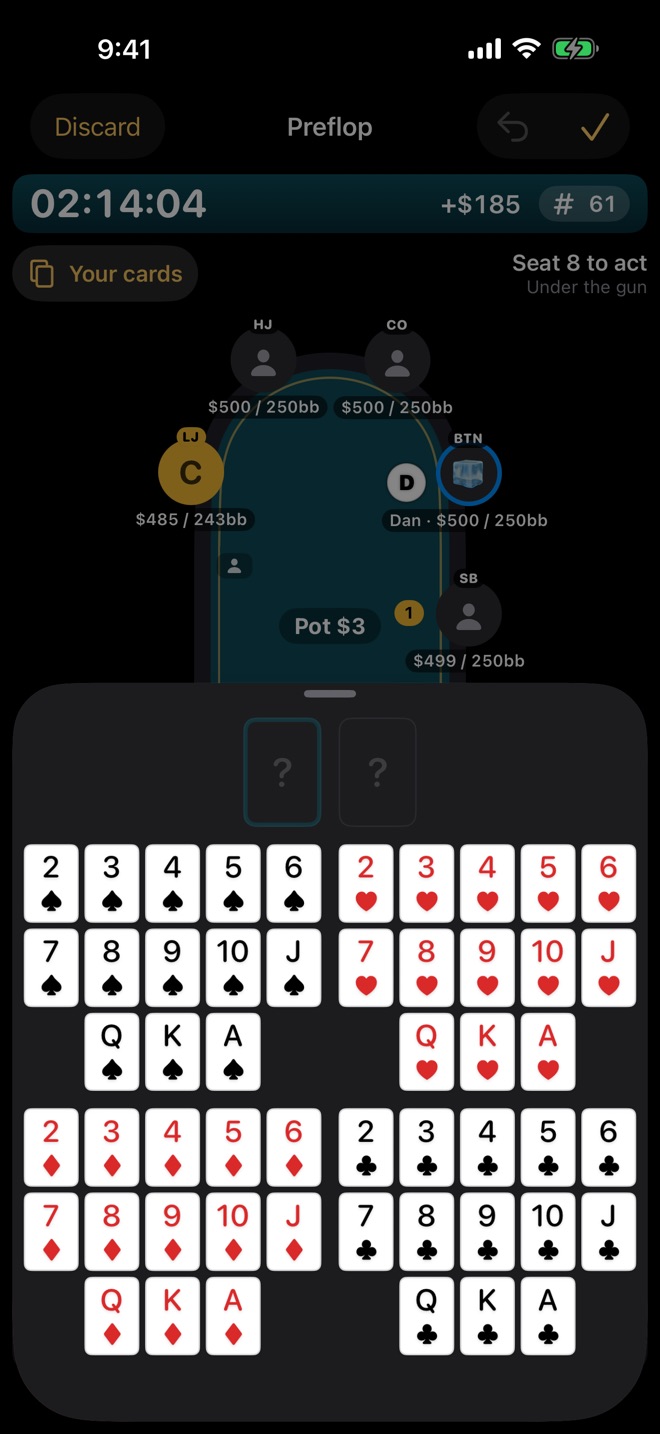
- One-tap card grid for your hole cards and the board
- No-Limit Hold'em and Pot-Limit Omaha, with straddles and antes
Tournaments
Know how many blinds everyone has.
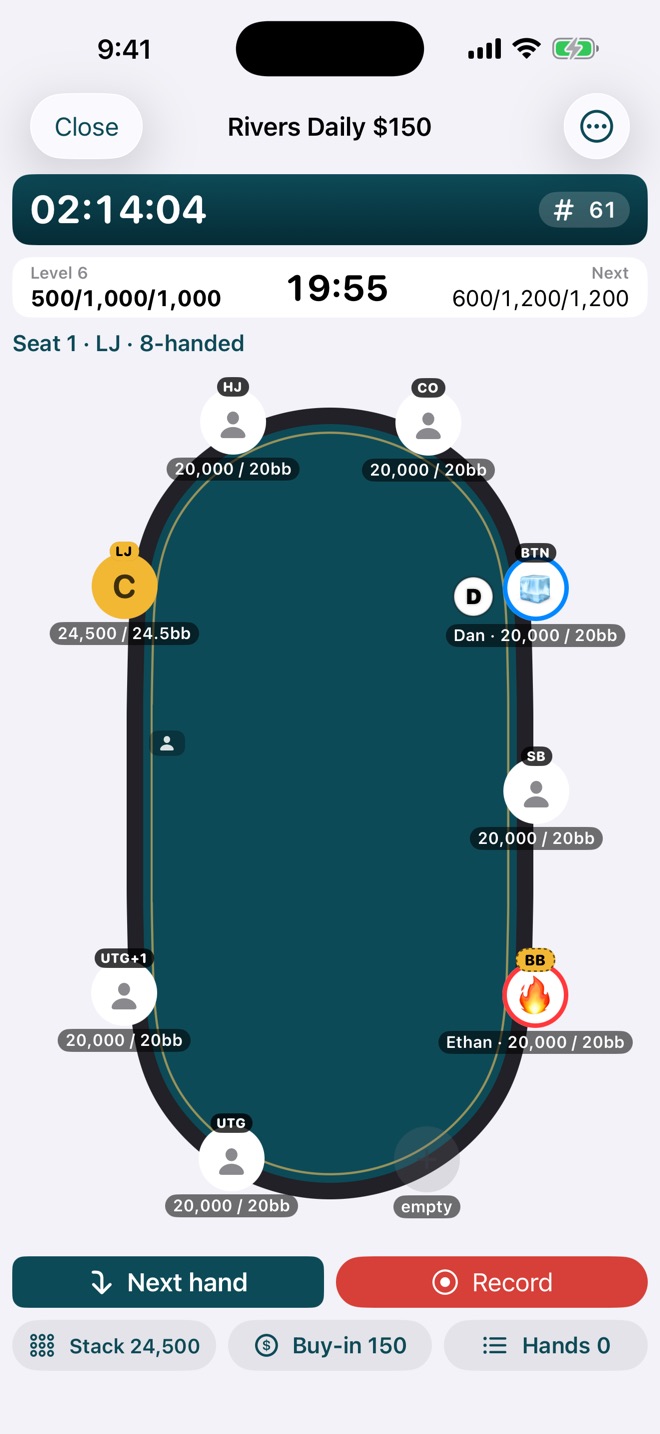
In a tournament, chips don't matter. Big blinds do. SickSpot shows every player's stack in big blinds next to the chip count, and your own stack too, updated as the levels climb. Adjust stacks and size bets in big blinds, with the blind clock running above the table.
- Every stack in chips and BB; yours always visible
- Bets and stack adjustments in big blinds or chip denominations
- Blind clock with levels, antes, and breaks; custom structures
- Re-entries, add-ons, finish position, and payouts in your results
Sliders and steps
Tune every slider to your game.
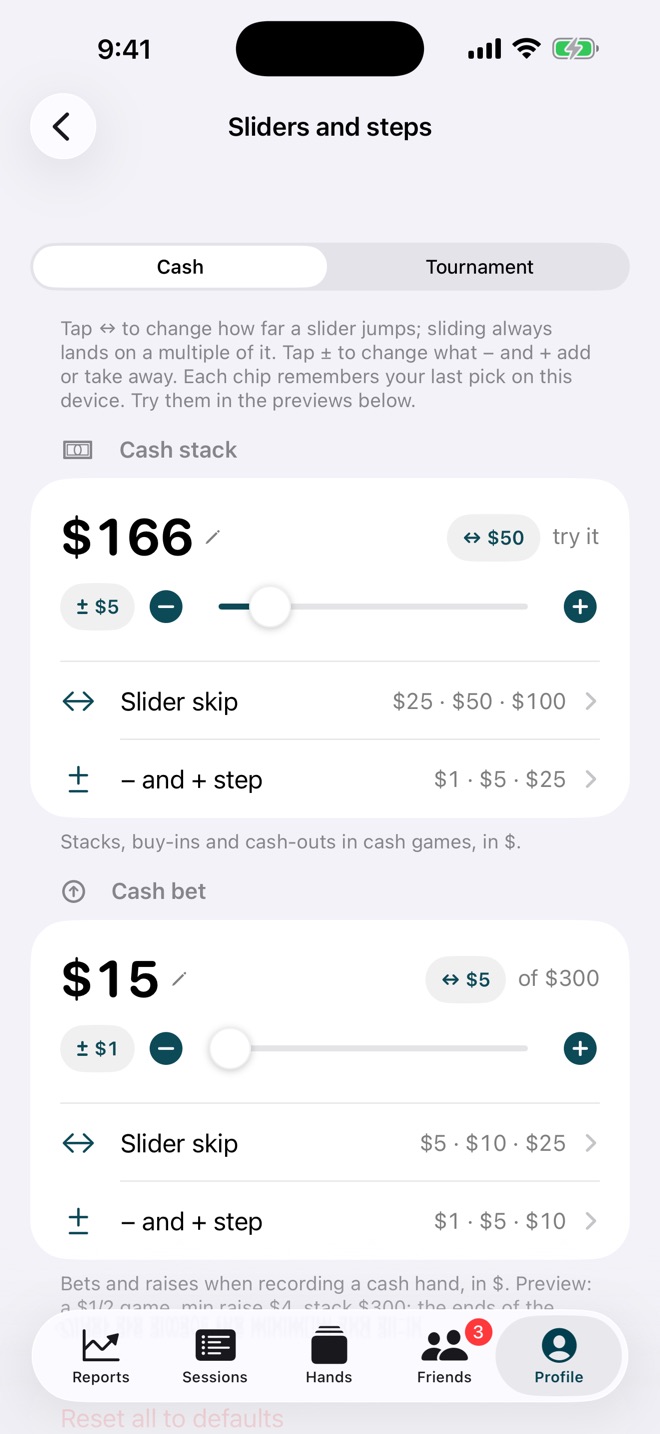
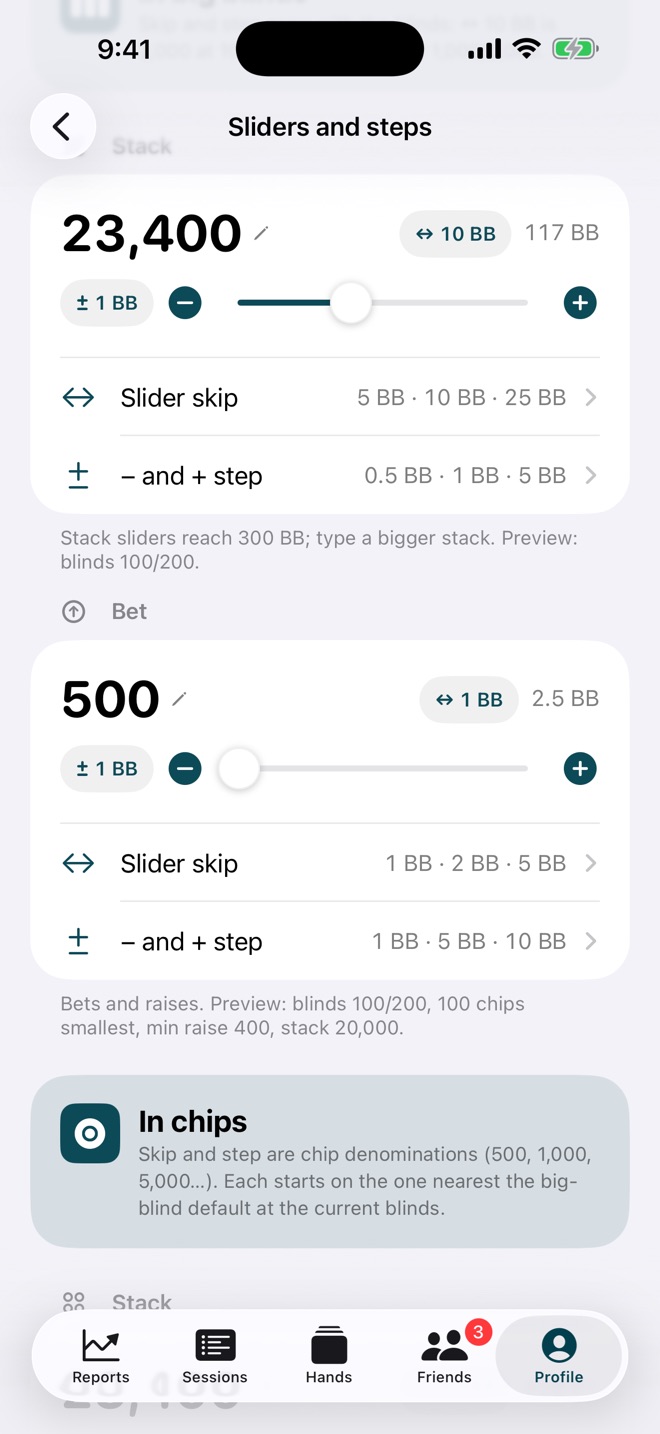
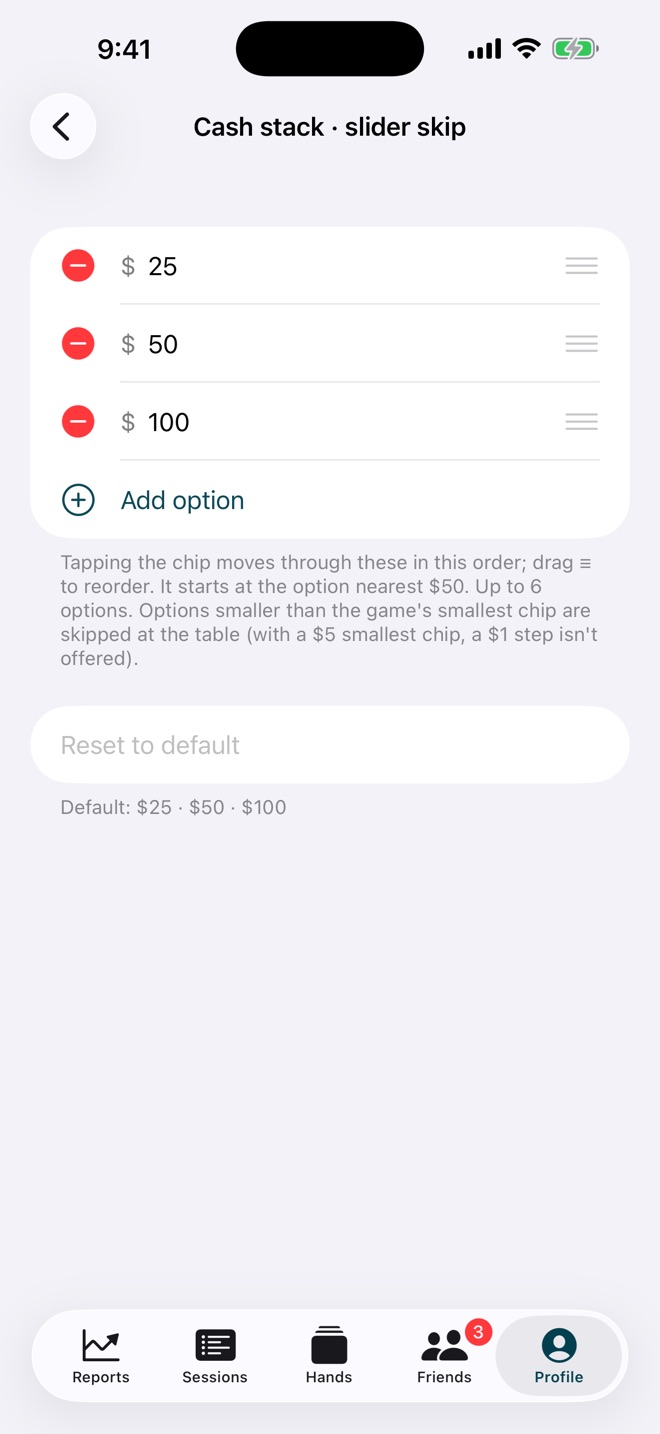
Every amount in SickSpot uses the same control: a slider that jumps by your skip, − and + buttons that move by your step, and a pencil to type it exactly. You choose the skips and steps for cash stacks, cash bets, and tournament stacks and bets in big blinds or chips. Tap the chip at the table to cycle through them.
- Up to six skip and step options per control, in your order
- Options smaller than the game's smallest chip are skipped
- Try every control live in the settings preview
Game profiles
Your regular games, one tap away.
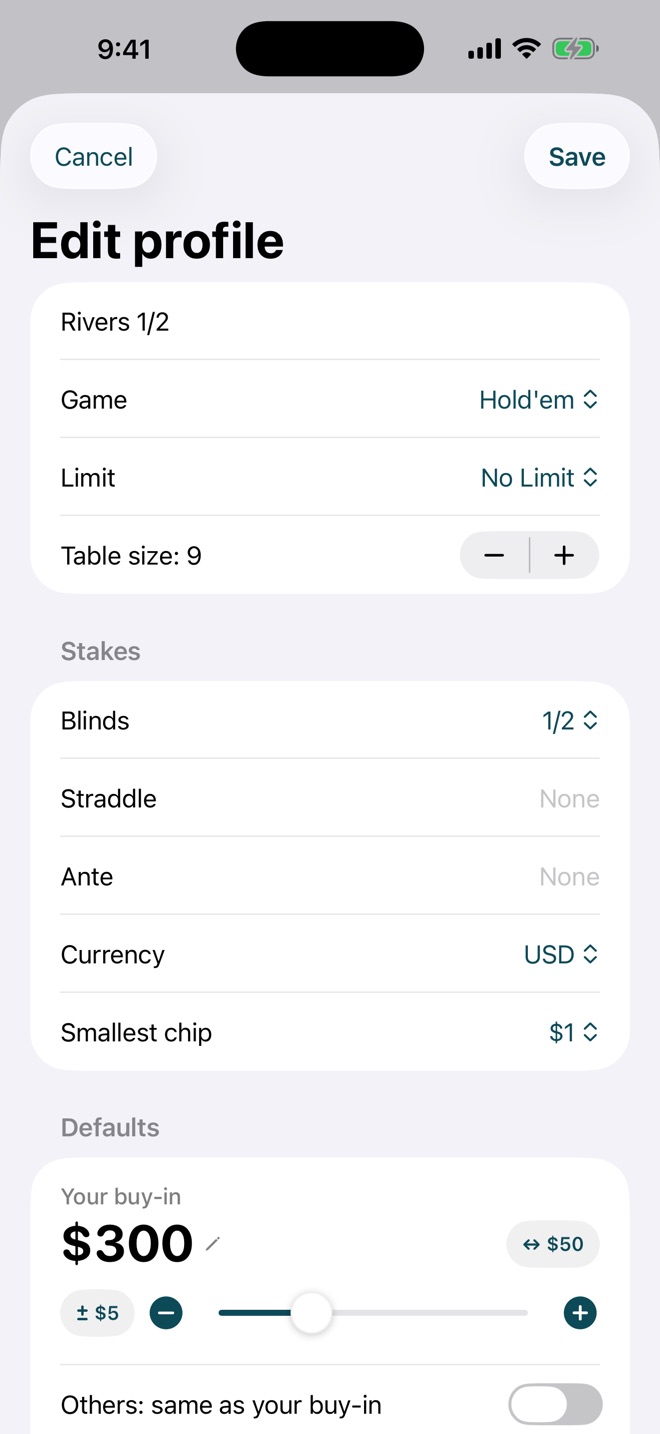
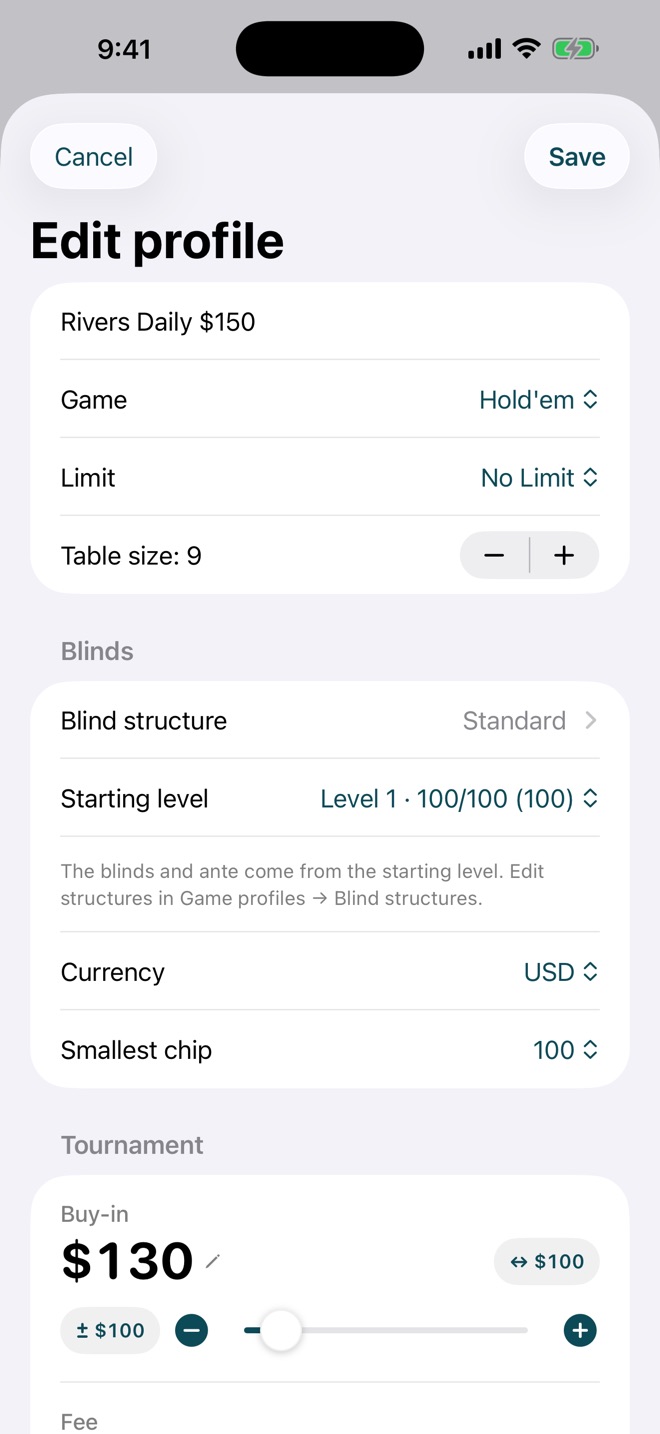
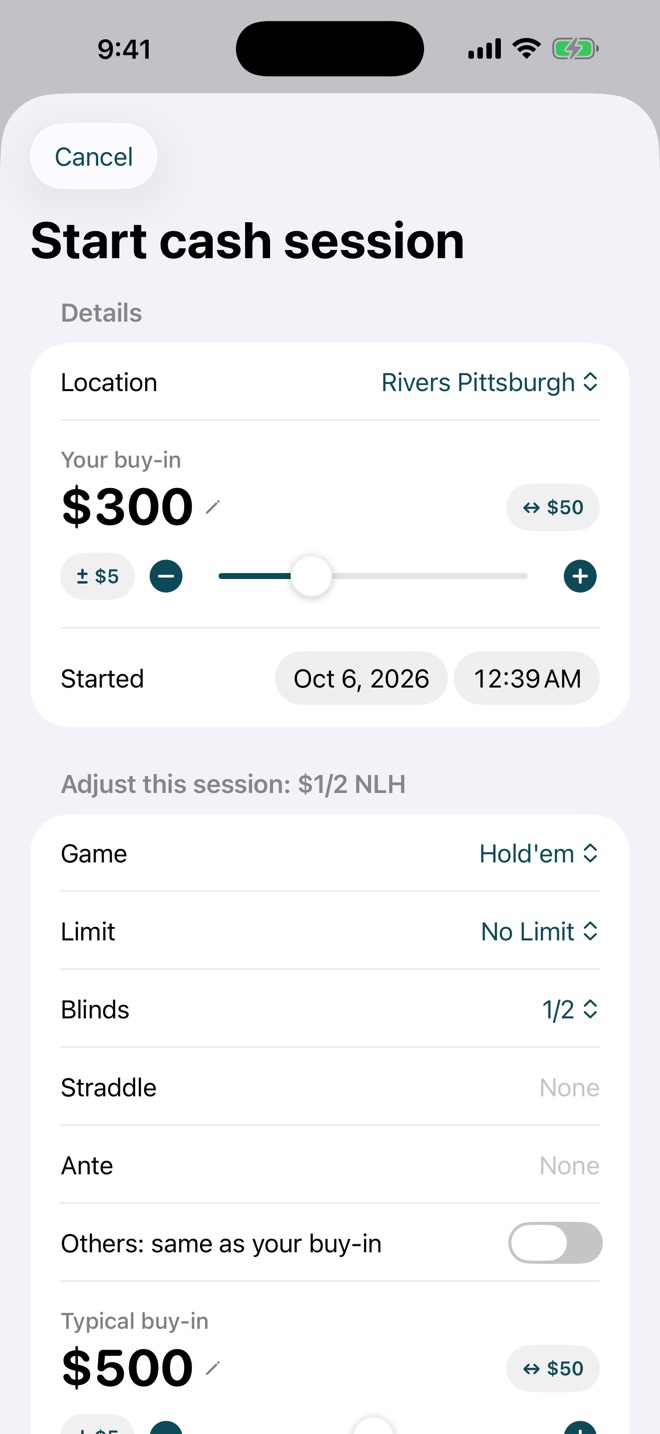
Save the games you play as profiles: 1/2 at your casino, the Daily $150, PLO at a home game. Each one remembers the blinds, straddle, ante, table size, smallest chip, currency, your buy-in and the table's typical buy-in, your usual open, and the room. Tournaments keep the structure, starting level, buy-in, fee, starting stack, and add-on.
Starting a session is then a single tap, and you can still adjust anything for tonight.
Only on SickSpot
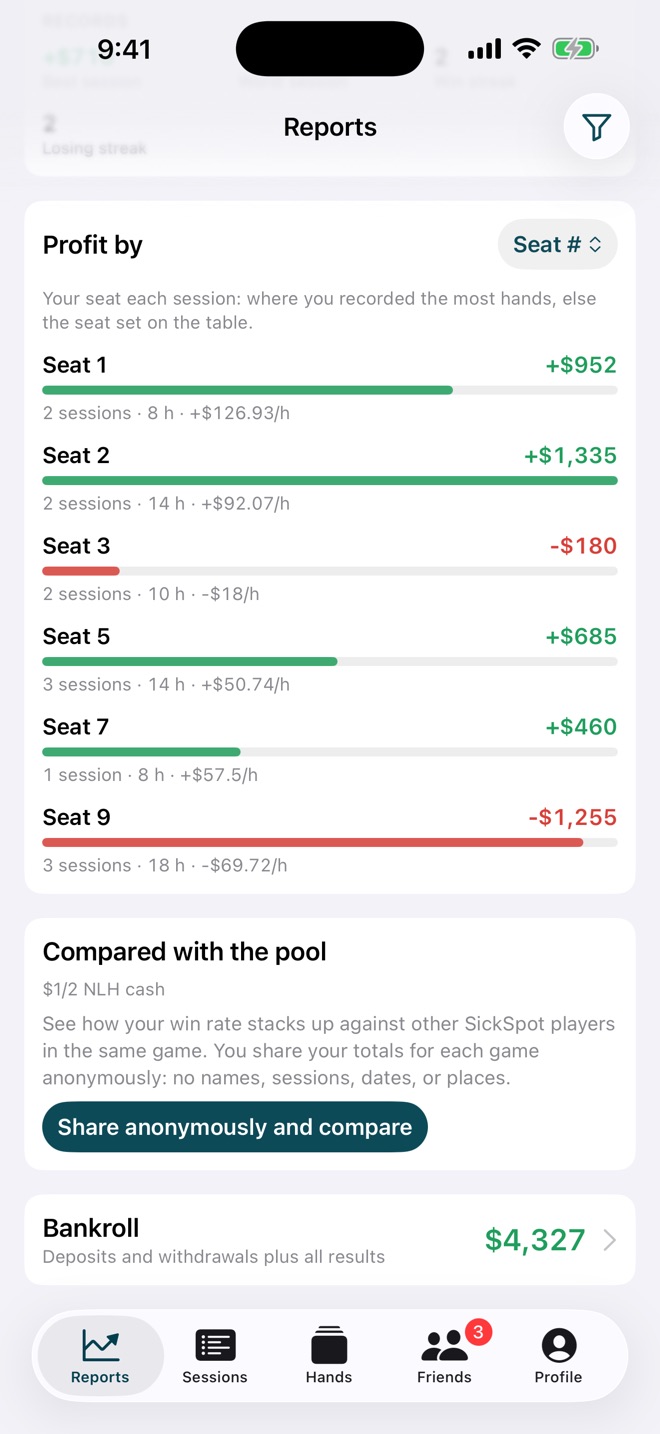
Profit by seat number.
It's the one stat no other tracker keeps and every player cares about. SickSpot knows which seat you played every session, so Reports can show your profit, hours, and hourly rate for each seat at the table.
Everyone loves their favorite seat. Now you'll have the data to back it up.
- Worked out from the seat you recorded the most hands in
- Also by stakes, location, day, time of day, session length, and more
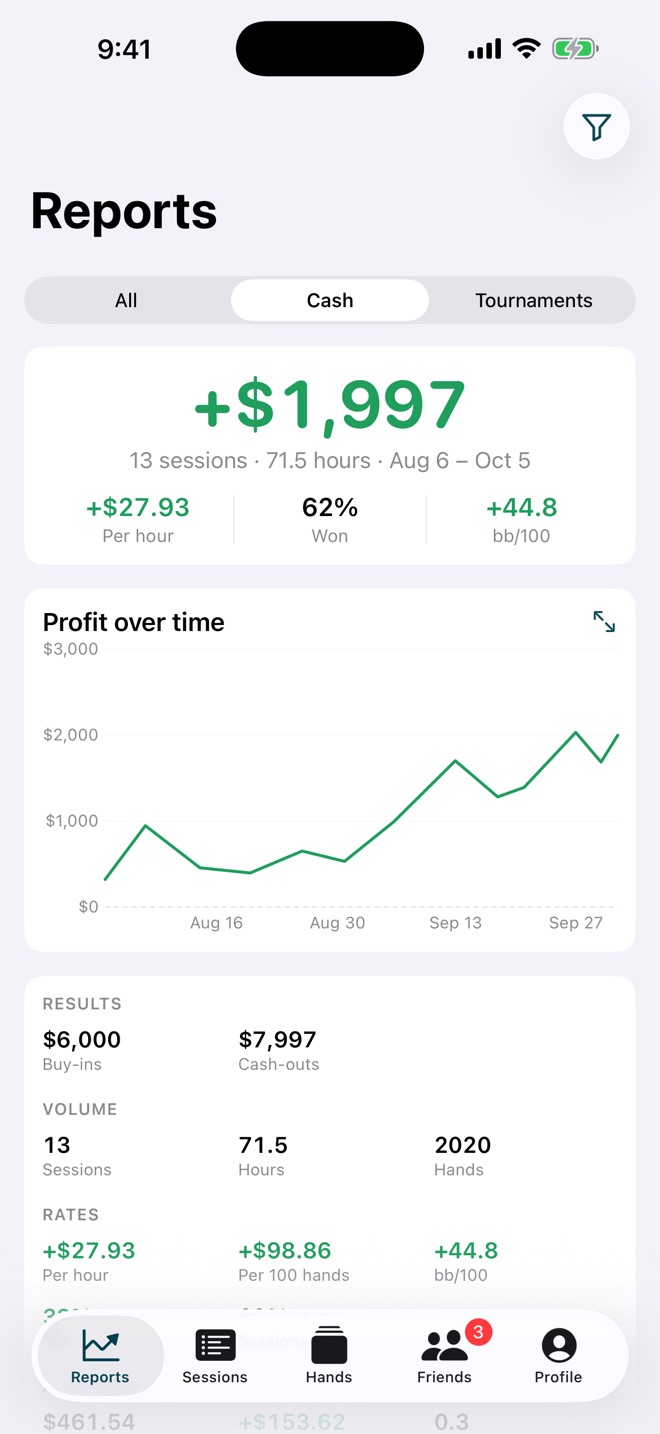
Desktop & GTO Wizard
Study on the big screen.
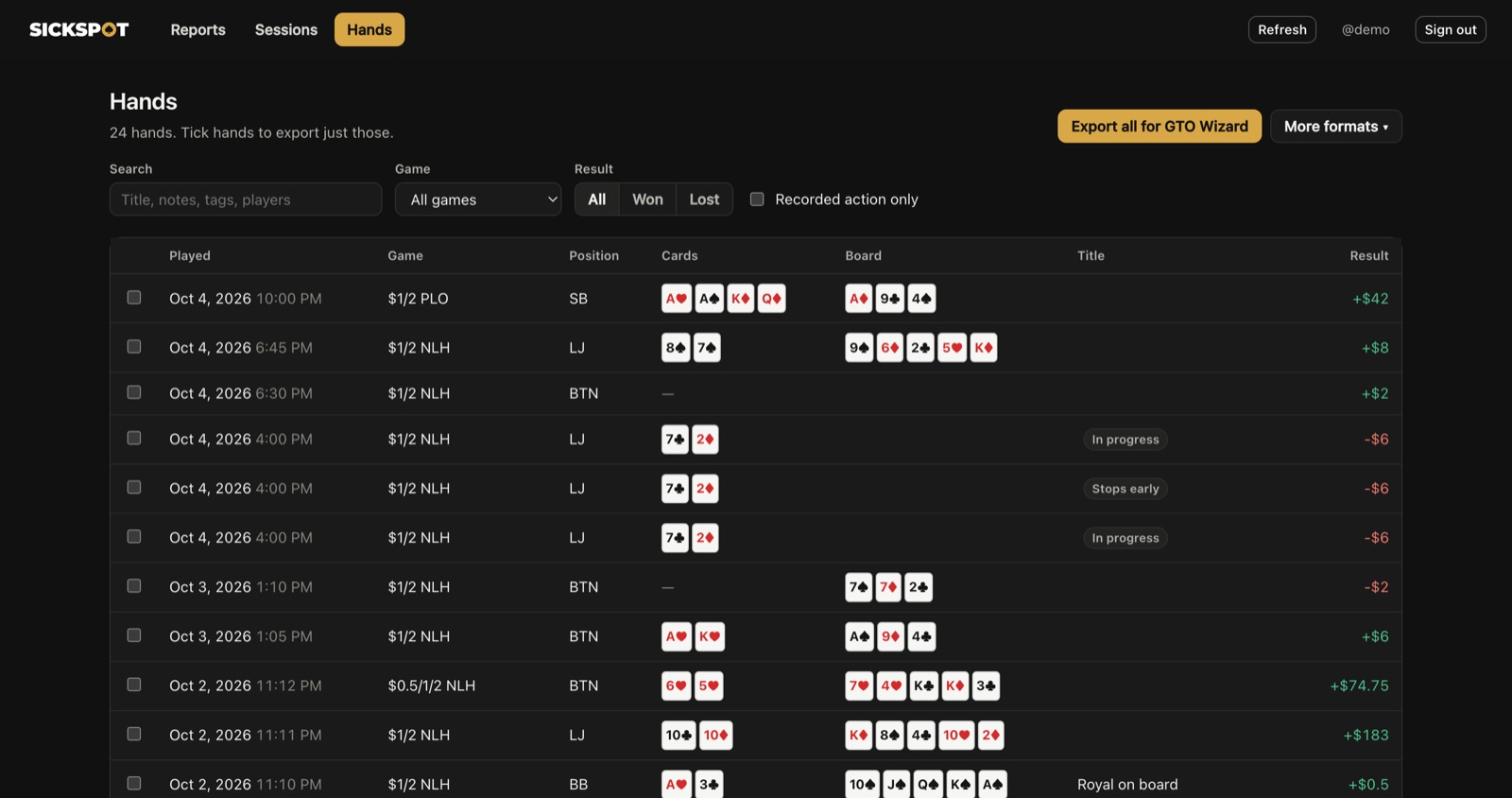
Sign in to SickSpot from your computer's browser with the same account. Your reports, sessions, and every hand are there to replay with the keyboard. Export one hand, a whole session, the hands you tick, or everything, in a format GTO Wizard imports directly. PokerStars hand histories, readable text, and Open Hand History JSON are a click away too.
At the table? Copy for GTO Wizard on any hand in the app puts it on your clipboard.
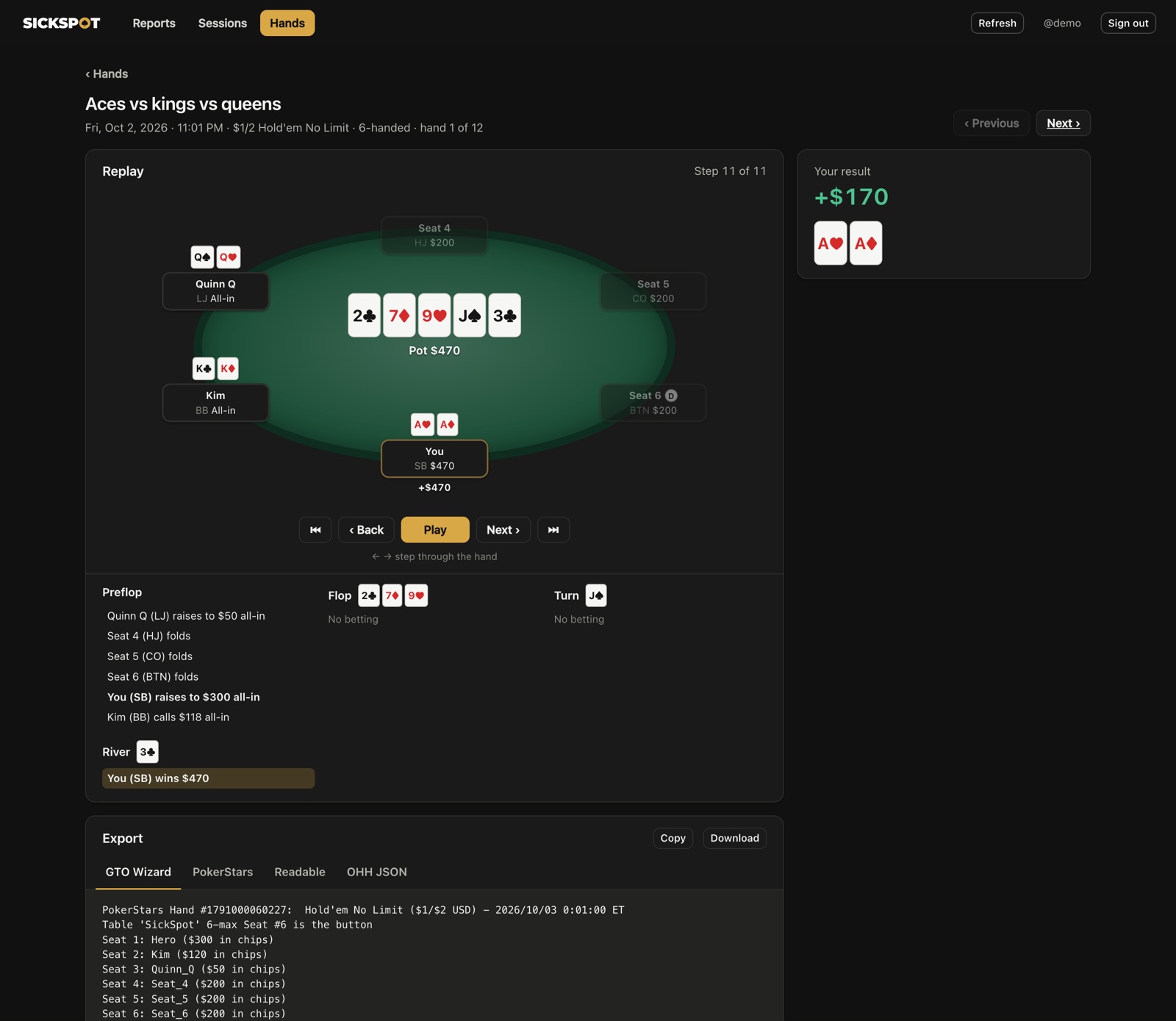
Replay & fix
Relive the spot.
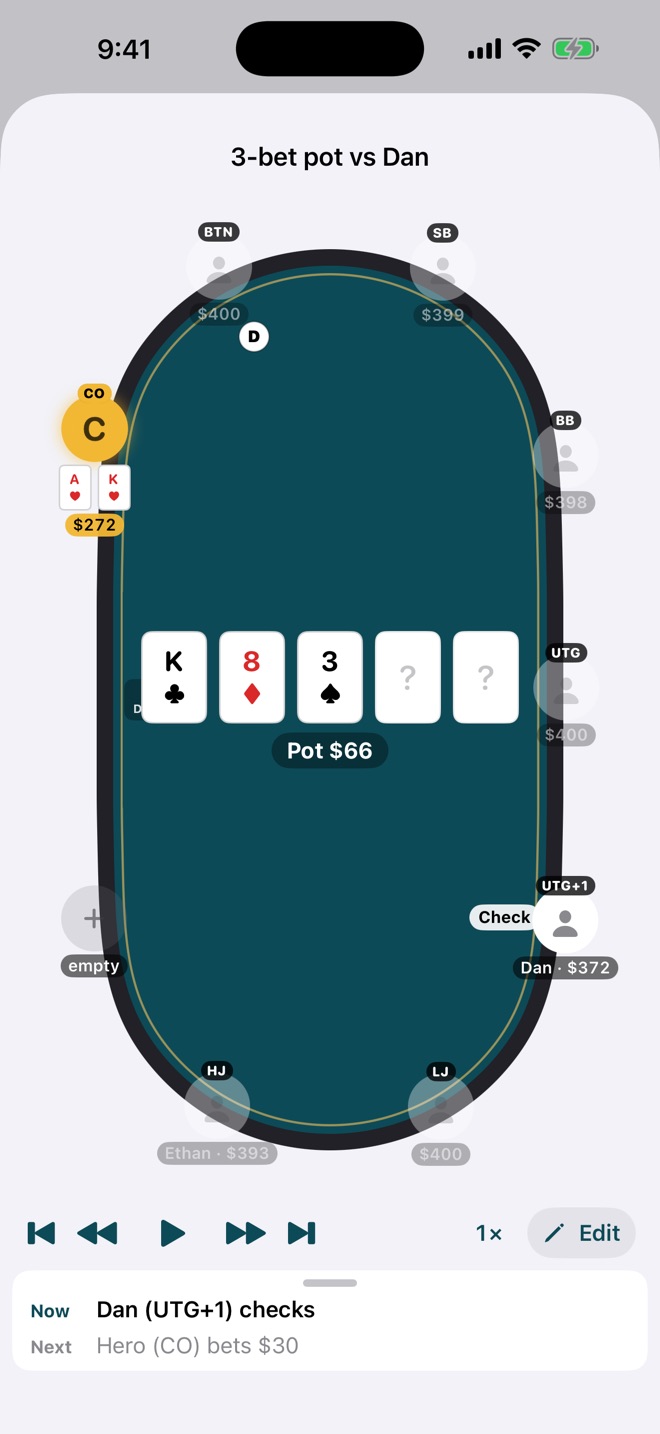
Every hand gets a replayer: step through it street by street or let it play. Spot a mistake in what you entered? Edit right in the replayer and the stacks follow.
Friends
Send the hand. Talk it over.
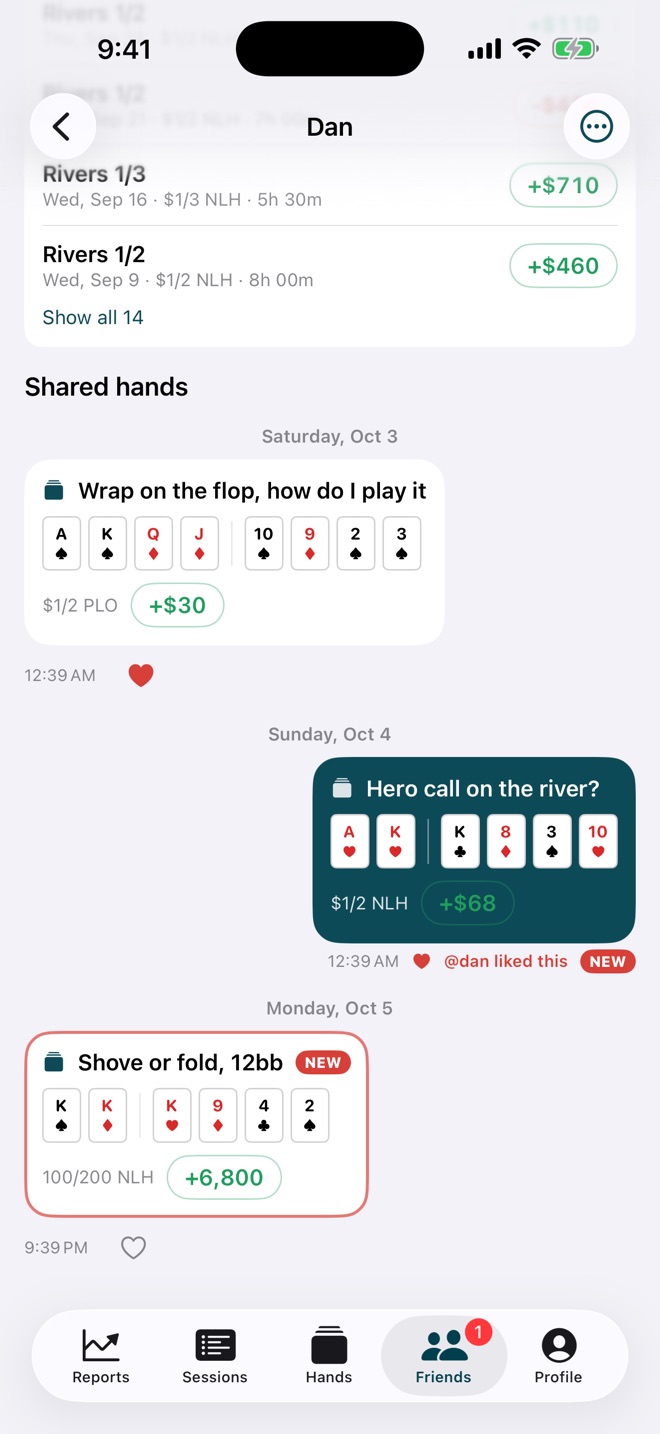
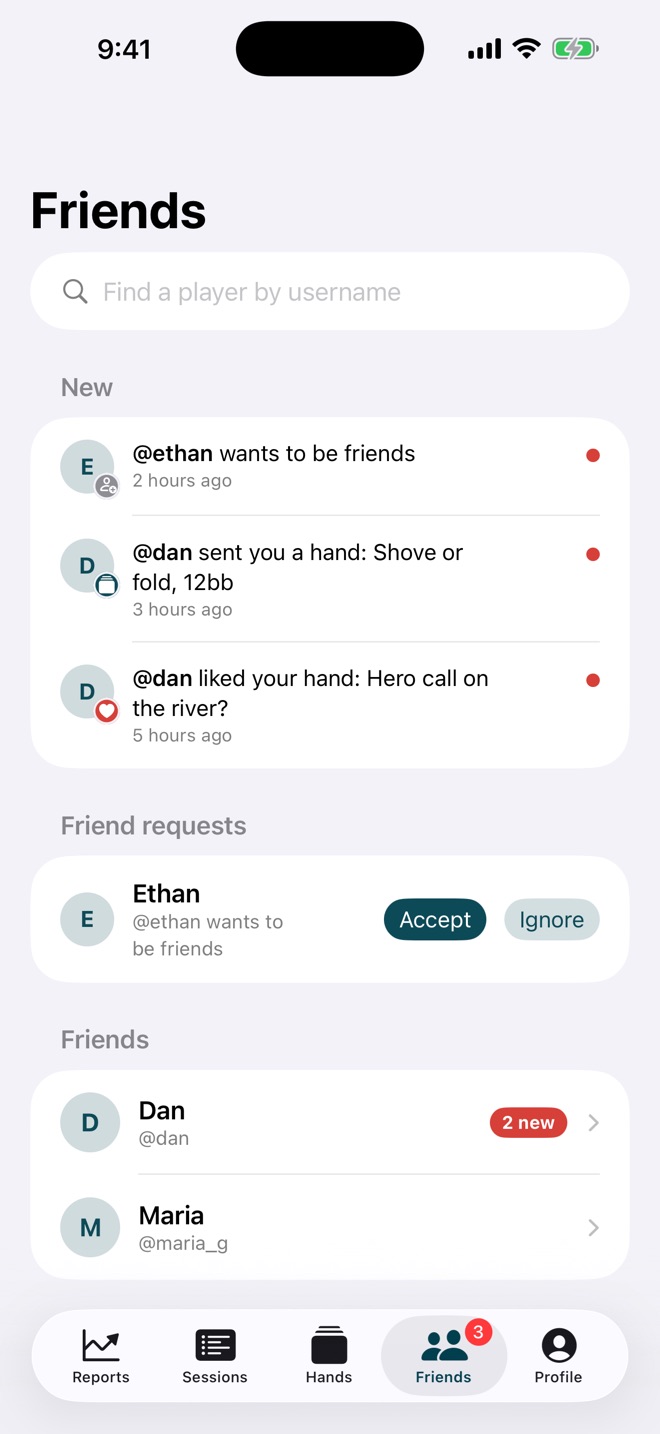
Add friends by username and send them hands and sessions right in the app. Each friend's page is a running conversation of everything you've sent each other, with likes and what's new since you last looked. If they share it, you'll see their last three months and latest sessions too.
Friend doesn't have SickSpot? Send a clean, readable copy of the hand instead, by text, email, or on paper.
- Private by default: results are shared only if you turn it on
- Only friends can send you anything; report or block in a tap
Readable copy
A hand anyone can read.
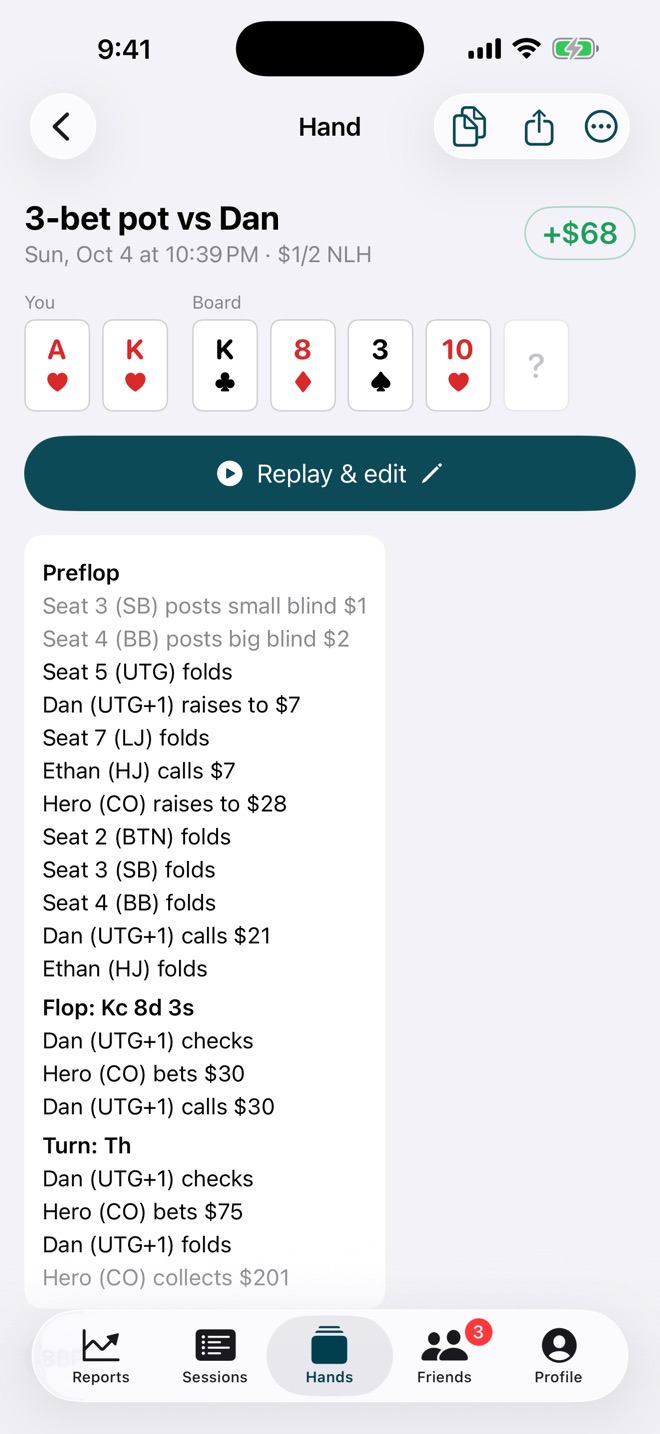
Every hand can be shared as plain text: the stacks in dollars and big blinds, the action street by street, the pot, and who won. It looks right in a text message, an email, a forum post, or printed out.
Aces vs kings vs queens — $1/2 NLH, 6-handed
Me (SB): A♥ A♦
Kim (BB): K♣ K♦
Quinn Q (LJ): Q♠ Q♥

Stacks:
  Me (SB) $300 (150bb)
  Kim (BB) $120 (60bb)
  Quinn Q (LJ) $50 (25bb)
  Seat 4 (HJ) $200 (100bb)
  Seat 5 (CO) $200 (100bb)
  Seat 6 (BTN) $200 (100bb)

Preflop:
  Quinn Q (LJ) raises to $50 (all-in)
  Seat 4 (HJ) folds
  Seat 5 (CO) folds
  Seat 6 (BTN) folds
  Me (SB) raises to $300 (all-in)
  Kim (BB) calls $118 (all-in)
Flop (2♣ 7♦ 9♥), $290 pot:
  checked through
Turn (J♠), $290 pot:
  checked through
River (3♣), $290 pot:
  checked through

Me (SB) wins $170
Dynamic Island & Lock Screen
Your session, without opening the app.
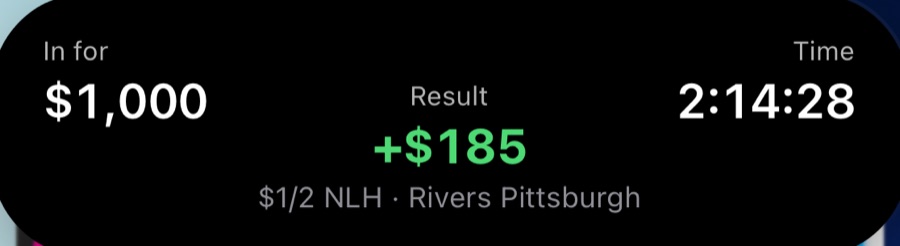
A Live Activity keeps your buy-in, result, and session time on the Lock Screen and in the Dynamic Island, so a glance tells you where you stand.
And all the little things.
The details that make it work at a real table.
Works offline
Everything saves on your phone first and syncs when you have signal. No signal in the card room? No problem.
iPhone, iPad, desktop
One account everywhere. Record on your phone, study on your computer.
Face ID lock
Keep your results private with Face ID or your passcode.
Sessions by game
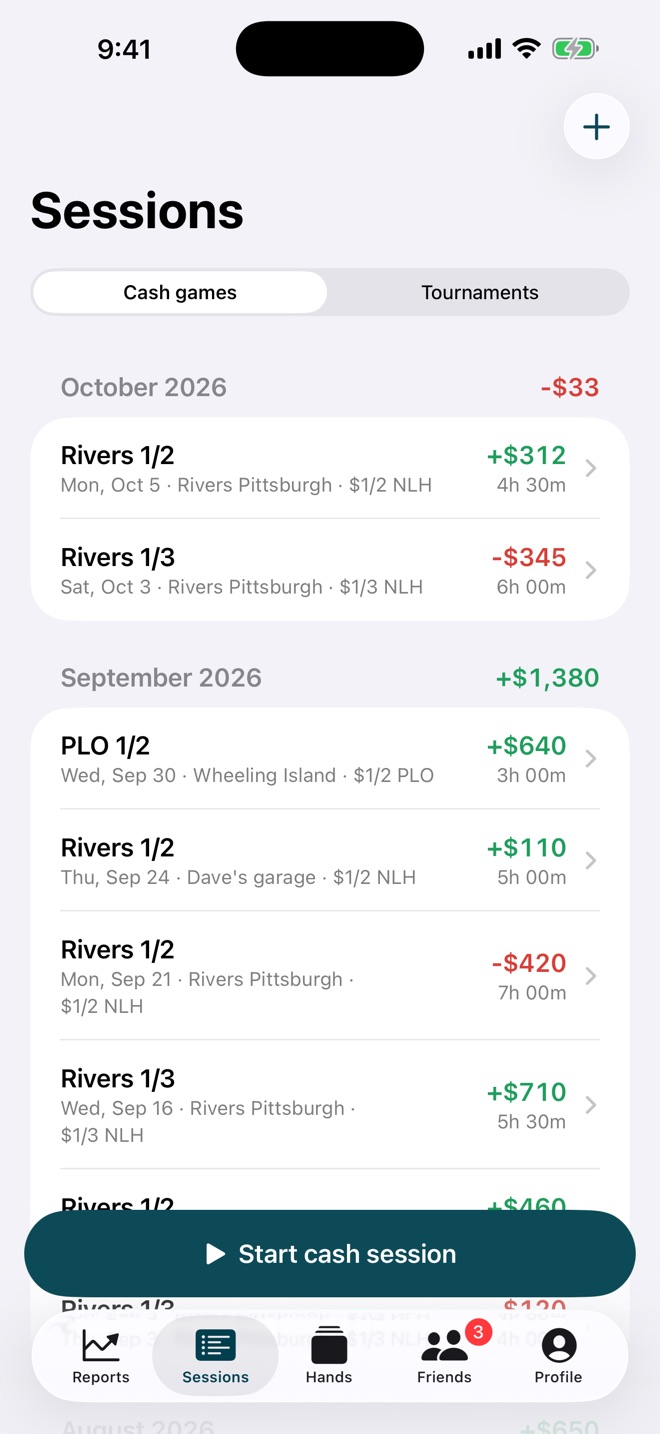
Cash games and tournaments in their own lists, grouped by month.
Past sessions too
Log a session after the fact and add hands to it later.
No gambling
SickSpot is a record-keeping tool. It never takes bets or handles money.
Frequently asked questions
When can I get SickSpot?
SickSpot is coming soon to the App Store for iPhone and iPad. Every feature is free during early access.
How is this different from other hand trackers?
Most trackers treat every hand as a blank form. SickSpot keeps the live table (seats, stacks, players, the button) from hand to hand, so you set it up once and each new hand starts exactly where the last one ended.
Does SickSpot involve real-money gambling?
No. SickSpot records the results of games you play elsewhere, the way a golf app records a round. It never takes bets, moves money, or simulates gambling.
Which games does it support?
No-Limit Hold'em and Pot-Limit Omaha, cash games and tournaments, from heads-up to 10-handed.
How do I get my hands into GTO Wizard?
Sign in to SickSpot on your computer, pick a hand, a session, or the hands you want, and export for GTO Wizard. The file imports directly. PokerStars, readable text, and Open Hand History formats are there too.
Who can see my results?
Only you, unless you choose to share. Friends see the hands and sessions you send them, and your recent results only if you turn that on. There is no public feed. See the privacy policy.
How do I report a bug or a problem with another user?
Long-press a hand a friend sent, or use the "…" menu on their page, to report or block. Or email support@hallsoftwaresolutions.com. Reports are reviewed within 24 hours.
Support
Questions, bug reports, or feature ideas? Email us and a human will reply.
support@hallsoftwaresolutions.com Privacy policy Terms of use